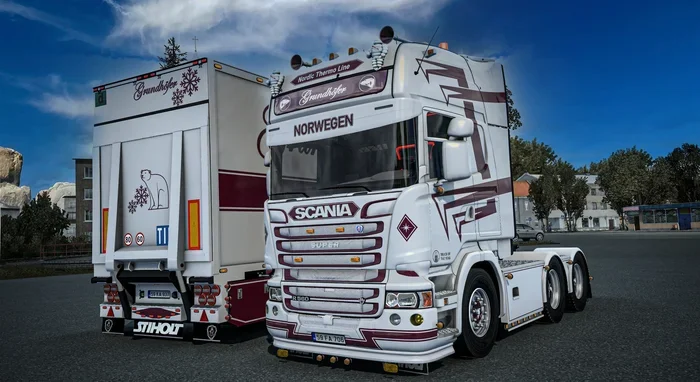
Discover the Best Car Mods in Euro Truck Simulator 2
Car mods in Euro Truck Simulator 2 transform a simple trucking game into a rich, immersive driving experience. These mods let you swap trucks for sleek cars, race across highways, and explore Europe in entirely new ways. Whether you want sports cars, classic vehicles, or crazy supercars, there is a mod for every taste. The ETS2 modding community has created thousands of free vehicle mods that keep the game fresh and exciting. If you have not tried car mods for ETS2 yet, you are missing out on hours of extra fun.
Key Takeaways
- Massive Variety: Car mods in Euro Truck Simulator 2 include sports cars, classics, supercars, and even fantasy vehicles.
- Free to Download: Most popular mods are available for free on the Steam Workshop and modding sites.
- Easy Installation: Installing car mods is straightforward and does not require advanced technical skills.
- Enhanced Gameplay: Vehicle mods add replay value and break up the routine of only driving trucks.
- Active Community: The ETS2 modding community constantly releases new and updated car mods.
- Customization Options: Many mods come with custom sounds, liveries, and tuning options.
- Compatibility Matters: Always check mod compatibility with your ETS2 version before downloading.
📑 Table of Contents
- Why Car Mods in Euro Truck Simulator 2 Are a Game Changer
- Top Car Mods You Must Try in ETS2
- How to Install Car Mods in Euro Truck Simulator 2
- Comparing the Best Car Mods: A Quick Guide
- How Car Mods Enhance Your ETS2 Experience
- Expert Tips for Getting the Most Out of Car Mods
- Common Mistakes to Avoid When Using Car Mods
- The Future of Car Mods in ETS2
- Conclusion
Why Car Mods in Euro Truck Simulator 2 Are a Game Changer
Euro Truck Simulator 2 is one of the most popular simulation games ever made. Millions of players spend hours behind the wheel of trucks, delivering cargo across Europe. But what happens when you want to switch things up? That is where car mods in Euro Truck Simulator 2 come in.
These mods open up a whole new world of possibilities. You can drive a Ferrari down the autobahn. You can cruise in a classic VW Beetle through the streets of Paris. Or you can hop into a monster truck and wreak havoc on country roads. The choice is yours.
The beauty of ETS2 car mods is that they are created by passionate fans. These modders spend countless hours modeling, texturing, and testing vehicles. They want to share their creations with the community. And the results speak for themselves. Some car mods are so detailed that they look and feel like they belong in the game.
If you are new to modding, do not worry. Adding cars to ETS2 is surprisingly simple. Most mods come with clear instructions. And once you see a shiny red Porsche cruising down the highway, you will understand why so many players love this feature.
What Makes a Great Car Mod?
Not all ETS2 vehicle mods are created equal. Some look amazing but have poor physics. Others drive well but lack detail. A great car mod balances several factors:
- Realistic Modeling: The car should look like its real-life counterpart. Every curve and line matters.
- Smooth Performance: A good mod runs without lag or frame drops.
- Accurate Sounds: Engine sounds make a huge difference in immersion.
- Working Dashboard: Speedometer, tachometer, and fuel gauge should all function properly.
- Custom Liveries: Some mods include multiple paint jobs and customization options.
- Good Physics: The car should handle differently than a truck. That is the whole point.
When you find a mod that checks all these boxes, it really elevates your ETS2 gameplay. Suddenly, the game feels alive in ways you did not expect.
Top Car Mods You Must Try in ETS2
The Steam Workshop has hundreds of car mods for Euro Truck Simulator 2. Narrowing down the best ones is tough, but here are some fan favorites that stand out from the crowd.
1. Supercars for Speed Lovers
Nothing beats the thrill of driving a supercar in ETS2. Mods like the Ferrari F40, Lamborghini Aventador, and Porsche 911 GT3 let you experience extreme speed on European roads. These mods often include working headlights, custom exhaust sounds, and detailed interiors.
Many players love using supercar mods to test delivery times. Imagine finishing a job in a McLaren instead of a truck. It adds a fun twist to the usual routine.
2. Classic Cars for Nostalgia
If supercars are not your thing, classic car mods are a wonderful alternative. Think 1960s Ford Mustang, Vintage Volkswagen Camper, or classic Mercedes Benz models. These mods bring a sense of nostalgia and charm to the game.
Driving a classic car through the Swiss Alps is an experience every ETS2 fan should try. The slower pace and retro feel create a completely different mood.
3. Off-Road and Specialty Vehicles
Some players want more than just highway driving. Off-road car mods include jeeps, dune buggies, and even monster trucks. These vehicles let you explore dirt roads, forests, and areas that trucks cannot reach.
Mods like the Land Rover Defender and Jeep Wrangler are incredibly popular in the ETS2 modding community. They handle rough terrain beautifully and add a new dimension to exploration.
How to Install Car Mods in Euro Truck Simulator 2
Installing car mods for ETS2 is easier than most people think. You do not need to be a tech expert. Follow these simple steps and you will be driving a new car within minutes.
Step-by-Step Installation Guide
- Find the mod you want. Search for it on the Steam Workshop or a trusted modding site.
- Subscribe or download the mod file. Steam Workshop mods auto-install when you subscribe.
- Open ETS2 and go to the Mod Manager. Click on the “Mods” tab in the main menu.
- Enable the mod. Toggle the switch next to the car mod to turn it on.
- Start a new game or load a save. The car should now appear in the truck dealer menu under the “Car” category.
- Select your new vehicle and hit the road!
Common Installation Issues and Fixes
Sometimes things do not go smoothly. Here are common problems and how to solve them:
- Mod not showing up: Make sure you subscribed on Steam Workshop and that the mod is enabled in the Mod Manager.
- Game crashes on startup: A mod might be incompatible with your ETS2 version. Check the mod page for compatibility notes.
- Car looks glitchy: This usually means you need to update the mod. Check for newer versions on the mod page.
- Missing sounds: Some mods require additional audio packs. Read the mod description carefully.
Quick Tips for Mod Installation
Keep your mods organized. Use a mod manager tool if you have many mods installed. Also, always back up your save files before adding new mods. A little preparation goes a long way in keeping your ETS2 modding experience stress-free.
Comparing the Best Car Mods: A Quick Guide
With so many car mods in Euro Truck Simulator 2 available, it helps to compare the top options. Use this table to find the right mod for your style of play.
| Mod Name | Vehicle Type | Detail Level | Difficulty to Install | Community Rating |
|---|---|---|---|---|
| Supercar Pack Pro | Sports Cars | Very High | Easy | 4.9/5 |
| Classic European Cars | Vintage Vehicles | High | Easy | 4.7/5 |
| Off-Road Adventure Set | Jeeps & Trucks | Medium | Medium | 4.6/5 |
| Fantasy Vehicle Pack | Concept Cars | High | Easy | 4.5/5 |
| Daily Driver Collection | Sedans & Hatchbacks | Medium | Easy | 4.8/5 |
This table gives you a quick snapshot of what each mod offers. Always read user reviews before downloading. They often mention issues that the mod description does not cover.
How Car Mods Enhance Your ETS2 Experience
Driving the same truck for hours can get repetitive. Car mods in Euro Truck Simulator 2 break that monotony in several powerful ways.
Adding Variety to Your Gameplay
After a long haul delivering freight, switching to a sports car for a quick city drive feels amazing. It gives you a reason to keep playing and exploring. The variety keeps the game fresh even after hundreds of hours.
Improving Immersion
When you drive a car that sounds and looks realistic, the game world feels more alive. You start to notice details you missed before. The sound of a revving engine, the feel of the steering, and the visual details all pull you deeper into the experience.
Creating New Challenges
Some players use car mods to set personal challenges. Can you deliver a package using only a small hatchback? Can you race across Europe in a supercar within a time limit? These creative challenges add a whole new layer of fun to the base game.
Sharing the Fun with Others
Multiplayer in ETS2 is already popular. Imagine joining a server where everyone drives different cars instead of trucks. It creates hilarious and memorable moments. The ETS2 car modding community thrives on sharing these experiences.
Expert Tips for Getting the Most Out of Car Mods
Experienced modders in the Euro Truck Simulator 2 community have shared some valuable tips over the years. Here is what you need to know.
Start Small
Do not download twenty car mods at once. Start with one or two favorites. Get comfortable with how they work. Then gradually add more as you learn what you like.
Check Compatibility Regularly
ETS2 updates frequently. After each major update, check your mods for compatibility issues. A mod that worked perfectly yesterday might cause problems today. Staying on top of updates keeps your game running smoothly.
Support Modders When You Can
Most car mods are free. But many modders accept donations or have Patreon pages. If you enjoy a mod, consider supporting the creator. It encourages them to keep making great content for the community.
Join the Community
The ETS2 modding community is active on Reddit, Discord, and Steam forums. Joining these platforms helps you discover new mods, get help with installation, and stay updated on the latest releases. It is a great way to connect with fellow players.
Keep Backups of Your Mod Folder
Sometimes a mod can corrupt your game files. Keeping a backup of your original mod folder means you can quickly restore your game if something goes wrong. This simple habit saves a lot of headaches.
Common Mistakes to Avoid When Using Car Mods
Even experienced players make mistakes with ETS2 vehicle mods. Here are some pitfalls to watch out for.
- Ignoring mod descriptions: Always read the mod page before downloading. It tells you about compatibility, required dependencies, and known issues.
- Downloading from unofficial sources: Stick to the Steam Workshop or trusted modding sites. Unofficial downloads can contain malware or broken files.
- Overloading your mod list: Too many mods can cause conflicts and crashes. Keep your mod list manageable.
- Skipping updates: Modders regularly update their creations. Outdated mods are more likely to cause problems after game updates.
- Not testing one mod at a time: If you add a new mod and the game breaks, you will not know which mod caused the issue unless you test them one at a time.
Avoiding these mistakes keeps your Euro Truck Simulator 2 experience smooth and enjoyable. A little caution goes a long way.
The Future of Car Mods in ETS2
The future looks bright for car mods in Euro Truck Simulator 2. The modding community continues to grow every year. New tools and techniques allow modders to create even more detailed and realistic vehicles.
We can expect to see more electric car mods, hypercars with ultra-realistic physics, and even vehicles from newer model years. The creativity of the ETS2 community knows no bounds.
SCS Software, the developers of ETS2, have been supportive of the modding scene. They regularly update the game to improve mod compatibility. This partnership between developers and the community ensures that car mods for ETS2 will keep getting better for years to come.
Conclusion
Car mods in Euro Truck Simulator 2 are one of the best ways to keep your gameplay fresh and exciting. From supercars to classic vehicles, the options are nearly endless. These mods add variety, immersion, and creativity to an already amazing game.
The ETS2 modding community deserves credit for the incredible work they do. Their passion and dedication bring new vehicles to the game constantly. Whether you are a seasoned modder or a complete beginner, there has never been a better time to explore car mods for ETS2.
So go ahead. Browse the Steam Workshop. Download a car mod that catches your eye. Hit the road in something new. You will be amazed at how much more fun Euro Truck Simulator 2 can be with the right vehicle mods ETS2 in your garage. Happy driving!
Frequently Asked Questions
What are the best car mods for Euro Truck Simulator 2?
The best car mods depend on your preferences. Popular choices include supercar packs, classic European car collections, and off-road vehicle sets. Check the Steam Workshop for top-rated mods with high download numbers and positive reviews.
Are car mods for ETS2 free to download?
Yes, the vast majority of car mods in Euro Truck Simulator 2 are completely free. They are available on the Steam Workshop and various modding websites. Some modders accept donations to support their work.
Will car mods affect my game performance?
Most car mods run smoothly without performance issues. However, very detailed mods with high-poly models may impact frame rates on lower-end systems. Always check the mod description for system requirements before downloading.
Can I use multiple car mods at the same time?
Yes, you can use multiple car mods together. However, installing too many mods at once can cause conflicts. It is best to add mods one at a time and test your game after each addition.
Do car mods work in ETS2 multiplayer mode?
Car mods generally work in multiplayer if all players on the server have the same mods installed. Always check the mod page for multiplayer compatibility information before using it online.
How often are new car mods released for ETS2?
New car mods are released regularly. The active modding community creates and updates vehicles frequently. Following modding forums and the Steam Workshop helps you stay current with the latest releases.