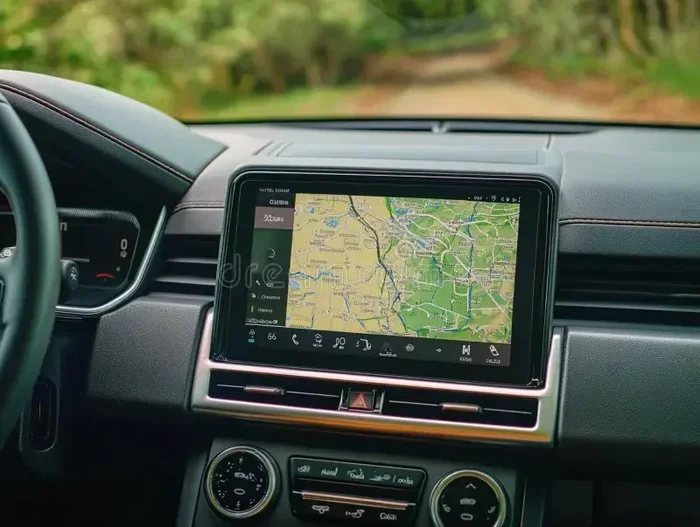
Do I Have to Pay Monthly for Navigation on a New Car
Most new cars offer free navigation for the first few years, but some brands charge a monthly subscription after the trial ends. You can often use your phone as a free alternative, and some vehicles come with lifetime navigation included. Understanding your options saves money and keeps you from paying for features you do not need.
Key Takeaways
- Free trials are common: Many automakers include 3 to 5 years of free navigation with a new car purchase.
- Monthly fees vary by brand: Some luxury brands charge $10 to $30 per month for live navigation features.
- Phone apps are a great free option: Google Maps, Waze, and Apple Maps offer free turn-by-turn directions.
- Built-in screens differ from phone apps: A 7-inch display for car systems often provides a smoother in-dash experience.
- Check before you buy: Always ask the dealer about navigation costs and what is included in the base price.
- Map updates matter: Some paid plans include regular map updates, while free plans may not.
📑 Table of Contents
- Do I Have to Pay Monthly for Navigation on a New Car?
- How Car Navigation Systems Work Today
- Which Car Brands Charge for Navigation?
- Free Navigation Alternatives You Can Use Today
- Built-In vs Phone Navigation: A Comparison
- What to Ask Before Buying a New Car with Navigation
- How to Save Money on Car Navigation
- Common Mistakes People Make with Car Navigation
- The Future of Car Navigation
- Final Thoughts
Do I Have to Pay Monthly for Navigation on a New Car?
You just bought a shiny new car. The dealer showed you the fancy screen in the dash. It has maps. It has directions. It looks amazing. But then you ask the big question: do I have to pay monthly for navigation on a new car? The answer is not as simple as yes or no. It depends on the car brand, the model, and the features you chose. Let us break it all down so you know exactly what to expect.
Navigation in cars has changed a lot over the years. Old cars used to have clunky DVD-based maps. You had to swap discs like a VCR. Today, most new vehicles have built-in GPS that connects to the internet. These systems offer live traffic updates, voice commands, and points of interest. But here is the catch. Some of these smart features come with a price tag. Not always. And that is what we want to help you understand.
When you buy a new car, the navigation system might be free for a limited time. After that, you may need to pay a subscription. Or you might be able to skip it entirely and use your smartphone instead. This article covers everything you need to know. We will look at how car navigation works, which brands charge fees, and how to save money.
The short answer is this. Some cars require a monthly payment for full navigation features. Many do not. And there are always free workarounds. By the end of this guide, you will know exactly what to look for and how to make the best choice for your wallet.
How Car Navigation Systems Work Today
Modern car navigation is very different from what it used to be. The old days relied on preloaded maps stored on a hard drive or disc. Today, most car infotainment systems connect to the cloud. This means they pull in live data. Think traffic conditions, weather, restaurant reviews, and gas prices. All of this happens in real time.
Here is how a typical car navigation system works in a new vehicle today:
- Built-in GPS receiver: This talks to satellites to find your exact location.
- Internet connection: Many cars use a built-in SIM card or connect to your phone’s hotspot.
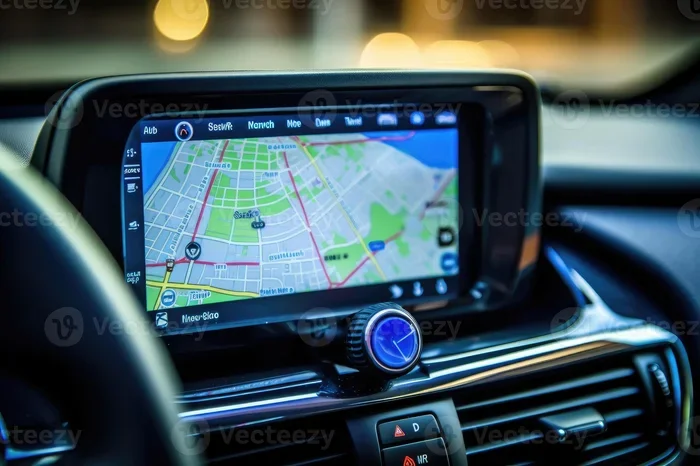
- Touchscreen display: This is your interface. Most new cars use a 7-inch display for car setups or larger.
- Voice assistant: You can say where you want to go, and the car will route you there.
- Live traffic data: The system reroutes you around jams and accidents automatically.
The onboard navigation system is built into the car’s computer. It is different from using your phone. The screen is bigger. It is integrated into the dashboard. And it does not block your view the way a phone mount might. But the real question is whether all of this comes free or costs extra every month.
The Role of the 12V Power Socket in Car Navigation
Your car’s navigation system needs power. It draws from the car’s electrical system, usually through the 12V power socket car setup or direct wiring to the infotainment unit. If you use a phone mount with a navigation app, the 12V car socket to 3-pin adapter can power your phone reliably while driving. This is important because a dead phone means no navigation. Having a steady power source keeps your directions flowing without interruption.
Which Car Brands Charge for Navigation?
Not all car brands treat navigation the same way. Some give it away for free. Others charge a monthly or annual fee. Here is a closer look at how different brands handle navigation subscription costs.
Brands That Offer Free Navigation
Some automakers include navigation features at no extra cost for the life of the vehicle. These brands understand that buyers want value. They do not lock their best tech behind a paywall.
- Toyota and Lexus: Many models come with free navigation features for the first few years. Some trims include lifetime maps.
- Hyundai and Kia: These brands often include free connected services for 3 to 5 years. Navigation is part of the package.
- Ford: Ford’s SYNC system offers free map updates for a set period. After that, some features may require a fee.
Brands That Charge Monthly Fees
Other brands, especially luxury makers, charge for ongoing connected car services. These fees can add up over time.
- BMW: BMW charges for its iDrive navigation after the trial period ends. Fees range from about $10 to $30 per month depending on the model.
- Mercedes-Benz: MBUX navigation often requires a subscription after the first year or two.
- Audi: Audi’s MMI navigation plus comes with a trial, then a monthly fee kicks in.
- Cadillac and Lincoln: These brands sometimes charge for real-time traffic and live navigation updates.
The fees are not huge on their own. But over a few years, they can add hundreds of dollars. This is why it pays to ask about GPS navigation cost before you sign the paperwork.
Free Navigation Alternatives You Can Use Today
Here is the good news. You do not have to pay for navigation if you do not want to. There are excellent free navigation options that work just as well as built-in systems. In many cases, they are even better.
Google Maps
Google Maps is the most popular navigation app in the world. It is free. It works on both Android and iPhone. It gives you turn-by-turn directions, live traffic updates, and alternate routes. The app also tells you about gas prices, speed cameras, and road closures. Best of all, it updates automatically. You always have the latest maps without paying a dime.
Waze
Waze is a community-driven navigation app. It relies on other drivers to report traffic, accidents, and police presence. This makes it incredibly accurate for real-time routing. Waze is also free. It is a favorite among daily commuters who want to avoid traffic jams.
Apple Maps
If you use an iPhone, Apple Maps is a solid choice. It has improved a lot over the years. It now offers lane guidance, look around, and detailed city maps. Apple Maps works seamlessly with CarPlay. This means you can use your phone’s navigation on your car’s screen without paying any subscription fee.
Sygic and Other Offline Navigators
Sygic is a navigation app that works offline. You download the maps ahead of time. This is great for road trips where you might not have cell service. The free version offers basic navigation. The paid version adds extras like traffic updates and voice guidance. But even the free version is quite capable.
Built-In vs Phone Navigation: A Comparison
Should you use the car’s built-in GPS navigation or stick with your phone? Both have pros and cons. Let us compare them so you can decide what works best for you.
| Feature | Built-In Navigation | Phone Navigation |
|---|---|---|
| Cost | Free trial, then subscription | Free |
| Screen Size | Larger, built into dash | Smaller, depends on mount |
| Map Updates | Sometimes paid | Always free and automatic |
| Traffic Data | Live, but may require fee | Live and free |
| Voice Commands | Built-in and natural | Good, depends on app |
| Works Without Signal | Yes, if preloaded | No, needs internet |
| Integration with Car | Seamless | Good with Apple CarPlay/Android Auto |
As you can see, phone navigation wins on cost. Built-in systems win on integration and screen size. But with Apple CarPlay and Android Auto, the gap has narrowed. You can mirror your phone on the car’s big screen and get the best of both worlds.
When Built-In Navigation Is Worth It
There are times when the built-in system is the better choice. If you drive a lot in areas with poor cell service, a built-in system with preloaded maps is a lifesaver. Also, if you want a clean, factory-installed look, nothing beats the built-in option. And some premium brands offer features that phone apps cannot match, like augmented reality navigation or head-up displays.
What to Ask Before Buying a New Car with Navigation
If navigation matters to you, you need to ask the right questions before you buy. Do not assume anything. Here are the key questions to bring up with the dealer.
- Is navigation free for the first few years? Most brands offer a trial period. Know how long it lasts.
- What happens after the trial ends? Ask about the monthly or annual fee. Get the exact number.
- Are map updates included? Some plans charge extra for updated maps. Others include them for free.
- Can I use Apple CarPlay or Android Auto? These free options can replace the built-in system entirely.
- Is there a one-time payment option? Some brands let you pay once instead of monthly.
- Does the base trim include navigation? Sometimes you need a higher trim level to get the screen.
Asking these questions can save you from surprise bills later. It also helps you compare models more fairly. A car with a free navigation system might be a better value than one with a cheaper sticker price but costly monthly fees.
How to Save Money on Car Navigation
You do not have to spend a fortune on car navigation. Here are some smart ways to keep costs low or eliminate them entirely.
Use Your Phone with CarPlay or Android Auto
This is the single best way to avoid monthly fees. Both Apple CarPlay and Android Auto are free to use. They project your phone’s screen onto the car’s display. You get all the benefits of apps like Google Maps or Waze without any subscription. If your car supports these features, use them. They are reliable, free, and constantly updated.
Choose a Car with Lifetime Navigation
Some brands and models include lifetime free navigation. This means you never pay a monthly fee. Do your research before buying. Check the owner’s manual or ask the dealer directly. A car with built-in lifetime navigation can save you hundreds of dollars over the years.
Wait for the Trial to End
If your car comes with a free trial, use it wisely. Enjoy the built-in navigation while it lasts. When the trial ends, switch to your phone. This way, you get the best of both worlds without paying a cent.
Skip the Built-In System Entirely
If you do not care about the factory screen, you can skip the navigation package altogether. Use a phone mount and a free app instead. This keeps your dashboard clean and your wallet full. Plus, phone apps often have more features than built-in systems.
Common Mistakes People Make with Car Navigation
There are some mistakes that car buyers make when it comes to navigation. Avoiding these can save you time, money, and frustration.
- Assuming navigation is always free: It is not. Many brands charge after a trial period. Always confirm the terms.
- Not reading the fine print: The small print in the contract often reveals subscription fees. Read it carefully.
- Ignoring phone app options: Many people pay for built-in navigation when a free phone app would work just as well.
- Forgetting about map updates: Old maps can lead you wrong. Make sure your plan includes regular updates.
- Choosing a higher trim just for navigation: Sometimes the navigation package is expensive. A phone mount costs a fraction of that.
These mistakes are easy to make. But they are also easy to avoid with a little research. The key is to stay informed and not let the dealer pressure you into paying for features you do not need.
The Future of Car Navigation
Car navigation is evolving fast. Here is what we can expect in the coming years.
More brands are moving toward connected car services. This means your car will always be online. It will receive over-the-air updates, just like a smartphone. Some experts believe that all navigation will eventually become subscription-based. Others think free options like CarPlay will make built-in systems obsolete.
One thing is clear. The days of paying big money for a built-in GPS navigation system are fading. Technology is making navigation more accessible and more affordable. As a consumer, you have more power than ever to choose what works for you.
Augmented reality navigation is another exciting development. This overlays directions directly onto the road through the windshield or a heads-up display. It is still new, but it is already appearing in premium vehicles. As the technology matures, it will likely become available in more affordable cars too.
Artificial intelligence is also playing a bigger role. AI-powered navigation learns your habits. It suggests routes based on your daily commute. It predicts traffic patterns before they happen. This level of smarts was science fiction a decade ago. Today, it is already here in some vehicles.
Final Thoughts
So, do you have to pay monthly for navigation on a new car? The answer is maybe. It depends on the brand, the model, and the features you choose. Some cars offer free navigation for years. Others charge a monthly fee from day one. And then there is the option to skip it all and use your phone for free.
The best approach is to understand your options before you buy. Ask the dealer about subscription costs. Test out phone apps like Google Maps and Waze. Consider whether you really need a built-in system or if a free phone app will do the job. With the right knowledge, you can make a smart choice that fits your budget and your needs.
Navigation is a convenience, not a luxury. You should never feel pressured to pay for it if you do not want to. Use the tips in this guide to navigate the car-buying process with confidence. And remember, the best navigation system is the one that gets you where you need to go without costing you a fortune every month.
Stay informed. Ask questions. And drive with confidence knowing you made the best decision for your wallet and your needs.
Frequently Asked Questions
Is navigation free on all new cars?
No, not all new cars offer free navigation. Some brands include free navigation for 3 to 5 years as part of a trial. After that, a monthly subscription fee may apply. Other brands and models offer lifetime free navigation with no extra cost.
Can I use Google Maps instead of built-in car navigation?
Yes, you can. Google Maps is free and works great on both Apple CarPlay and Android Auto. It offers turn-by-turn directions, live traffic updates, and automatic rerouting. Many drivers prefer phone apps over built-in systems because they are always up to date and cost nothing.
How much do navigation subscriptions cost per month?
Navigation subscription costs vary by brand. BMW charges around $10 to $30 per month for its iDrive navigation. Mercedes-Benz and Audi have similar pricing. Some brands offer annual plans that are cheaper than monthly payments. Always check the specific terms before you commit.
Do I need a 7-inch display for car navigation to work well?
Not necessarily. A 7-inch display for car systems provides a nice viewing experience, but navigation works on any size screen. The key is that the system is responsive and easy to read. Many drivers find that even smaller screens work fine for turn-by-turn directions.
What happens if I cancel my navigation subscription?
If you cancel your navigation subscription, you will lose access to live features like traffic updates and real-time routing. Basic map viewing may still work if maps are preloaded on the system. However, you will not get the full connected experience without an active subscription.
Are there any cars with truly lifetime free navigation?
Yes, some cars come with lifetime free navigation included. These are often found in certain Toyota, Hyundai, and Kia models. The navigation system includes free map updates for the life of the vehicle. Always confirm with the dealer that navigation is truly lifetime free before making a purchase decision.