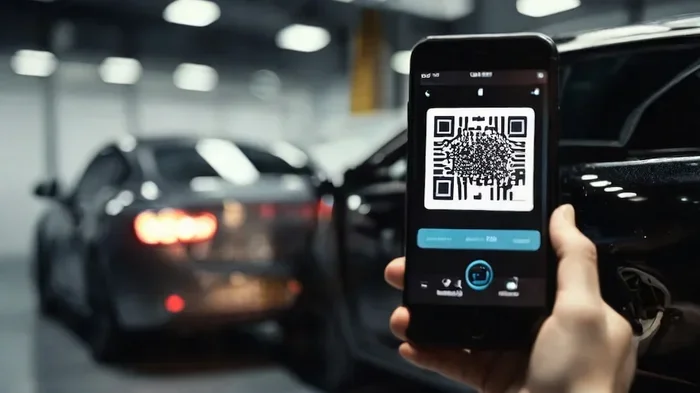
How to Get a QR Code for Your Vehicle Fast and Easy
Getting a QR code for your vehicle is simpler than you think and can boost safety, streamline maintenance tracking, and even help with theft recovery. This guide walks you through every step, from choosing the right generator to placing your sticker perfectly. Whether you want a QR code for personal use or business fleet management, you will find clear, actionable steps inside.
Have you ever wondered how a simple square pattern could make your life as a car owner so much easier? A QR code for vehicle use is growing fast, and for good reason. It connects your car to digital information in seconds. Whether you want to share ownership details, track maintenance, or improve security, a QR code for your vehicle does the job beautifully.
Many people still think QR codes are only for restaurant menus or event tickets. That could not be further from the truth. The automotive world has embraced this technology in a big way. From individual car owners to large fleet managers, everyone is finding creative uses for vehicle QR codes. In this guide, we will show you exactly how to get one, where to put it, and which tools work best.
By the end of this article, you will know everything you need to create, place, and use a QR code for your car like a pro. Let us dive right in.
Key Takeaways
- Quick Setup: You can create a vehicle QR code in under 10 minutes using free or paid online tools.
- Multiple Use Cases: QR codes serve for vehicle identification, maintenance logs, insurance proof, and theft recovery.
- Placement Matters: The windshield, rear window, or bumper are the best spots for visibility and scanning.
- Choose the Right Generator: Not all QR code tools are equal. Look for dynamic codes, customization options, and analytics.
- Avoid Common Mistakes: Using static codes, poor sticker quality, and wrong placement can ruin the experience.
- Trackable Benefits: Dynamic QR codes let you monitor scans and update information without reprinting.
📑 Table of Contents
- What Is a QR Code for a Vehicle and Why Does It Matter?
- How to Get a QR Code for Your Vehicle Step by Step
- Best QR Code Generators for Vehicles
- Where to Place Your Vehicle QR Code
- Benefits of Using a QR Code for Your Vehicle
- Common Mistakes to Avoid When Using a Vehicle QR Code
- Expert Tips for Maximizing Your Vehicle QR Code
- Conclusion
What Is a QR Code for a Vehicle and Why Does It Matter?
A QR code for vehicle is a two-dimensional barcode that stores digital information about your car. When someone scans it with a smartphone camera, they instantly access a linked webpage, document, or contact card. Think of it as a digital ID tag for your car. Instead of digging through paperwork, anyone can pull up key details with a quick scan.
The uses go way beyond just showing off tech-savvy car ownership. Here are some real-world reasons why vehicle QR codes matter:
- Vehicle identification: Police and tow truck operators can instantly verify ownership if your car is ever stolen or abandoned.
- Maintenance tracking: You can link your QR code to a digital log of all repairs, oil changes, and inspections.
- Insurance proof: In many places, showing a digital insurance card via a scanned QR code is faster and more reliable than a paper copy.
- Fleet management: Businesses managing dozens or hundreds of vehicles use automotive QR codes to track each unit’s history and location.
- Emergency contacts: A scan can reveal emergency contacts, medical information, or roadside assistance numbers stored in the car.
The beauty of a car QR code is its simplicity. You do not need special apps or expensive equipment. Any smartphone with a camera can read it. That accessibility is exactly why this technology has taken off in the automotive space.
How Vehicle QR Codes Work Behind the Scenes
When you create a QR code for vehicle registration or any vehicle-related data, the code encodes a URL or text string. That URL points to a web page where your information lives. When a scanner reads the code, it opens that page and displays the content. Modern QR code vehicle tracking systems use dynamic codes, which means the destination URL can be changed without altering the physical code itself. This is a game-changer for updating information on the fly.
How to Get a QR Code for Your Vehicle Step by Step
Creating a QR code for your vehicle is a straightforward process. You do not need any technical skills or special software. Follow these simple steps and you will have your own vehicle QR code ready in minutes.
Step 1: Decide What Information to Encode
Before you generate anything, think about what you want the QR code for car to reveal. Common options include:
- A link to your vehicle ownership document or registration.
- A digital business card with your contact details.
- A page with maintenance history and service records.
- Insurance policy details and policy number.
- A simple text block with your name, phone number, and vehicle make and model.
For most personal use cases, a simple text or vCard format works great. If you want trackability and the ability to update content later, choose a dynamic URL-based code.
Step 2: Pick a Reliable QR Code Generator
Not all QR code generator for vehicles tools are created equal. You want a platform that is reliable, secure, and offers the features you need. We will cover the best options in the next section. For now, just know that you need a generator that supports the type of data you want to encode.
Step 3: Generate Your Code
Enter your chosen information into the generator. If you are using a URL-based code, paste the web link. If you are using a text or vCard format, fill in the fields. Click generate, and the tool will create your unique QR code for vehicle image. Download it in high resolution (PNG or SVG format) for the best print quality.
Step 4: Test Your QR Code
This step is crucial and often skipped. Before you print or stick anything on your car, test the code. Open your phone camera or a QR scanner app and point it at the screen. Make sure it loads the correct page or displays the right information. If it fails, regenerate the code and try again.
Step 5: Print and Apply the Sticker or Label
Print your QR code sticker for car on durable material. We will talk more about placement and materials in a later section. The key is to make sure the printed code is clean, unscratched, and easy to scan.
Best QR Code Generators for Vehicles
Choosing the right QR code generator for vehicle use can make or break your experience. Free tools work fine for basic needs, but if you want analytics, editing, and tracking, you need a premium option. Here are some of the top tools available right now.
| Generator | Free Option | Dynamic Codes | Analytics | Best For |
|---|---|---|---|---|
| QR Code Generator Pro | Yes | Yes (paid) | Yes (paid) | Personal vehicle owners |
| Beaconstac | Limited | Yes | Yes | Fleet managers and businesses |
| QR Tiger | Yes | Yes (paid) | Yes (paid) | Customizable vehicle labels |
| Canva QR | Yes | No | No | Quick, simple vehicle codes |
| Unitag QR | Yes | Yes (paid) | Yes (paid) | Branded vehicle QR codes |
For most individual car owners, a free generator with basic features is plenty. If you manage a fleet or want to track scans and update information remotely, invest in a paid plan from a trusted provider. Always choose a generator that allows you to create dynamic QR codes for vehicles, since these let you change the linked content without reprinting the code.
What Makes a QR Code Generator “Vehicle-Friendly”?
Not every QR code generator for vehicles is built with automotive use in mind. Look for these features when choosing your tool:
- High error correction: Vehicle QR codes get exposed to weather, dirt, and wear. A generator with high error correction ensures the code still scans even if partially damaged.
- Custom logo embedding: Some generators let you add a small logo or icon in the center of the code. This looks professional and brand-friendly.
- Color customization: You can match your QR code car decal to your vehicle’s color scheme or your business branding.
- Analytics dashboard: Track how many times your code has been scanned, where, and when. This is invaluable for fleet management and theft recovery.
- Bulk generation: If you manage multiple vehicles, you need a tool that can generate codes for an entire fleet at once.
Where to Place Your Vehicle QR Code
Placement is one of the most overlooked aspects of using a QR code for vehicle. A beautifully designed code is useless if nobody can scan it. Here is where you should consider placing your sticker or label.
Best Placement Spots
- Rear windshield (bottom corner): This is the most common spot for a QR code vehicle sticker. It is visible from behind, easy to scan, and protected from direct sun damage.
- Front windshield (bottom corner): Place it on the driver’s side bottom corner. This makes it easy for traffic cameras, toll systems, or law enforcement to scan.
- Inside the driver’s door frame: Tucked inside the door jamb, this spot keeps the code hidden from view but easily accessible during inspections or roadside checks.
- Bumper (rear): A small, weather-resistant label on the rear bumper works well for parking lot scanners or automated systems.
- Under the hood (engine bay): For fleet managers, a QR code for vehicle identification placed in the engine bay helps with quick inspections and part verification.
Quick Tips for Placement
- Avoid placing the code where it blocks your view or interferes with safety features like backup cameras.
- Use a laminated or weatherproof sticker to ensure longevity.
- Make sure the code is at least 2×2 inches in size for easy scanning.
- Place it away from direct heat sources like exhaust pipes.
- If your car has a tinted window, ensure the code is on the inside surface for better scan results.
Benefits of Using a QR Code for Your Vehicle
The advantages of adding a QR code for vehicle go far beyond looking tech-savvy. Let us explore the real benefits that make this a worthwhile investment.
1. Faster Insurance and Registration Verification
Traffic stops and parking inspections happen more often than most people realize. With a QR code for car on your windshield, an officer can instantly verify your insurance and registration without asking you to dig through your glovebox. This saves time for both you and the authorities.
2. Enhanced Vehicle Security
If your car is ever stolen, a vehicle QR code can be a powerful recovery tool. When someone scans the code, they are directed to a page with your contact information and vehicle details. Some systems even allow the scanner to send an instant alert to the owner. This creates an added layer of security that traditional license plates alone cannot provide.
3. Streamlined Maintenance Tracking
Keeping track of every oil change, tire rotation, and major repair can be a nightmare. A QR code for vehicle maintenance links directly to your digital service log. When you visit a new mechanic, they can scan the code and see the full history of your car. This not only saves time but also helps maintain accurate records for warranty claims.
4. Fleet Management Made Simple
For businesses that own multiple vehicles, QR code vehicle tracking is a lifesaver. Each vehicle gets a unique code linked to its profile. Drivers can scan the code to log mileage, report issues, or access trip information. Managers can monitor the entire fleet from a single dashboard, reducing administrative overhead significantly.
5. Quick Emergency Information Access
In the event of an accident, first responders can scan your car QR code decal to access emergency contacts, blood type, allergies, and other critical medical information. This small detail can genuinely save lives.
Common Mistakes to Avoid When Using a Vehicle QR Code
Even though setting up a QR code for vehicle is simple, people still make avoidable mistakes. Here are the ones you should steer clear of.
Mistake 1: Using a Static Code for Everything
A static QR code for vehicle cannot be edited after creation. If your insurance changes or your phone number updates, you would need to print an entirely new sticker. Always opt for a dynamic code when possible. It lets you update the linked content without changing the physical code.
Mistake 2: Choosing the Wrong Sticker Material
Your car’s exterior faces rain, sun, heat, and road grime every single day. Using a regular paper sticker will result in fading and peeling within weeks. Invest in a weatherproof QR code sticker for car made from vinyl or laminated material. It costs a little more but lasts far longer.
Mistake 3: Making the Code Too Small
A tiny QR code vehicle identification sticker might look neat, but it becomes unscannable from any reasonable distance. Keep your code at least 2×2 inches for standard scanning. If you are placing it on a curved surface like a bumper, go even larger to account for distortion.
Mistake 4: Forgetting to Test the Code Regularly
Dirt, scratches, and sun exposure can degrade your QR code over time. Make it a habit to test your QR code for car every few months. If it fails to scan, replace the sticker immediately. A broken code defeats the entire purpose of having one.
Mistake 5: Encoding Too Much Sensitive Information
While a QR code for vehicle is convenient, do not encode sensitive personal data like your home address or Social Security number. Stick to contact details, vehicle ID, and insurance links. You can always password-protect or limit access to the linked page for added security.
Expert Tips for Maximizing Your Vehicle QR Code
Want to get the most out of your QR code for vehicle setup? Here are some expert-backed tips that make a real difference.
- Use a branded design: If you run a business, match your QR code vehicle sticker colors to your brand. This builds recognition and looks professional.
- Add a call to action: Include a short line like “Scan for vehicle info” next to your code. This tells passersby exactly what to do.
- Link to a mobile-friendly page: Over 80 percent of QR code scans happen on smartphones. Make sure your destination page loads fast and looks great on mobile screens.
- Update your content regularly: Even with a dynamic code, revisit your linked page periodically to ensure the information is current and accurate.
- Combine with NFC for redundancy: Some advanced vehicle owners add an NFC tag alongside their QR code for vehicle. This gives scanners two ways to access the same information.
The world of vehicle QR codes is evolving fast. New use cases pop up every year, from automated toll payments to digital vehicle inspections. Staying ahead of the curve means adopting this simple technology now and exploring its potential as it grows.
Conclusion
Getting a QR code for your vehicle is one of the smartest, simplest upgrades you can make as a car owner. It takes minutes to set up, costs almost nothing, and delivers real benefits every single day. From faster insurance checks to enhanced security and better maintenance tracking, a QR code for vehicle pulls your car into the digital age in the best way possible.
Pick a reliable generator, choose your information wisely, place your sticker strategically, and test it regularly. Follow the tips in this guide, and your vehicle QR code will serve you well for years to come. The technology is here, it is affordable, and it works. There is no reason not to give it a try today.
Start small. Create your first QR code for car right now. See how it fits into your routine. Once you experience the convenience, you will wonder how you ever managed without one.
Frequently Asked Questions
Can I get a free QR code for my vehicle?
Yes, many QR code generator for vehicles tools offer free plans that let you create basic codes. Free options work well for personal use, but they usually lack analytics and editing features. If you need dynamic codes or tracking, consider a paid plan from a trusted provider.
Is a QR code on my vehicle legal?
In most places, placing a QR code for vehicle sticker on your car is perfectly legal. However, some jurisdictions have rules about windshield obstruction or sticker placement. Always check your local laws to make sure your placement complies with regulations. Avoid blocking your view or covering any safety-related features.
How long does a vehicle QR code sticker last?
With a quality weatherproof QR code sticker for car, you can expect the code to last between two and five years. Regular stickers made of paper or cheap vinyl may fade or peel within months. Invest in durable materials, especially if you place the code on the exterior of your vehicle.
Can I change the information linked to my QR code later?
If you use a dynamic QR code for vehicle, you can absolutely update the linked content at any time without reprinting the code. Static codes cannot be changed once generated. Always choose dynamic codes for flexibility, especially if your contact details or insurance information may change over time.
What happens if someone scans my vehicle QR code?
When someone scans your QR code for car, they are directed to whatever content you have linked. This could be a webpage with your contact details, a maintenance log, an insurance verification page, or an emergency contact list. You control exactly what information is shared, so choose wisely and avoid encoding sensitive personal data.
Do I need a special app to scan a vehicle QR code?
No, most modern smartphones can scan a QR code for vehicle using the built-in camera app. Simply open your camera, point it at the code, and tap the notification that appears. If your phone does not support native scanning, free QR reader apps are available on both iOS and Android app stores.
=== META DESCRIPTION ===
Learn how to get a QR code for your vehicle fast and easy. Our complete guide covers generators, placement tips, and best practices for car owners today.