Does Tesla Lock When You Walk Away Without Thinking
Yes, Tesla vehicles can lock automatically when you walk away, but the feature depends on your settings, key type, and model. The Tesla walk-away lock uses proximity sensors and phone key technology to detect when you leave the vehicle. Understanding how this Tesla autolock system works helps you keep your car secure without thinking about it every time.
Key Takeaways
- Tesla Walk-Away Lock: Tesla can automatically lock when you walk away, using Bluetooth and proximity detection.
- Key Types Matter: Phone key, key card, and key fob all interact differently with the locking system.
- Settings Control Everything: You can turn the walk-away lock on or off in your Tesla settings.
- Not All Models Behave the Same: Different Tesla models may have slight variations in locking behavior.
- Sentry Mode Adds Extra Security: Even if the car doesn’t lock automatically, Sentry Mode keeps it watchful.
- Common Issues Exist: Bluetooth range, interference, and settings can cause locking problems.
📑 Table of Contents
- Does Tesla Lock When You Walk Away?
- Which Tesla Models Support Walk-Away Locking?
- How to Enable Walk-Away Locking on Your Tesla
- Phone Key vs. Key Card vs. Key Fob
- Common Issues With Tesla Walk-Away Locking
- Tesla Security Features Beyond Walk-Away Locking
- Should You Rely on Walk-Away Locking?
- Final Thoughts on Tesla Walk-Away Locking
Does Tesla Lock When You Walk Away?
You step out of your Tesla. You close the door. You start walking toward your office, the grocery store, or your front porch. And then a question pops into your head: does Tesla lock when you walk away?
The short answer is yes. But the full answer is a little more nuanced. Your Tesla has a smart locking system that can detect when you’ve left the vehicle. It uses Bluetooth, proximity sensors, and your phone key to know when you’re gone. But whether it actually locks depends on a few settings and factors we’ll cover in this guide.
Let’s break down everything you need to know about Tesla walk-away locking. You’ll learn how it works, which models support it, and how to make sure your car stays secure every time you walk away.
How Does Tesla Walk-Away Locking Work?
Tesla vehicles use a system called passive entry to detect your presence. When you have your phone key or key fob nearby, the car knows you’re close. As you move away from the vehicle, the sensors monitor your distance.
Once you step beyond a certain range, the car can initiate the Tesla autolock sequence. This happens automatically if the feature is enabled. The doors lock, the windows may close, and the touchscreen might show a confirmation message.
Here’s how the process typically works:
- You walk away from the Tesla with your phone key or key fob.
- The proximity sensor detects that you’ve moved beyond the Bluetooth range.
- The vehicle sends a signal to lock all doors.
- The mirrors may fold in, and the touchscreen display confirms the lock.
- The car enters a secure state.
This is a really convenient feature. You don’t need to press any buttons. You don’t need to fumble for a key card. The car handles everything on its own. It’s one of those things that makes Tesla ownership feel futuristic and seamless.
But here’s an important detail. Not every Tesla locks the same way. The behavior can change based on your model, your settings, and the type of key you use. Let’s look at those differences next.
Which Tesla Models Support Walk-Away Locking?
Most modern Tesla models support walk-away locking. This includes the Model 3, Model Y, Model S, and Model X. However, the exact behavior can vary slightly between models and software versions.
Tesla has been refining this feature over the years through over-the-air updates. Early Model S and Model X vehicles had basic locking. But newer versions include smarter detection and more reliable phone key integration.
Here’s a quick comparison of how walk-away locking works across the lineup:
- Model 3: Full walk-away lock support with phone key and key fob. One of the most reliable implementations.
- Model Y: Similar to Model 3. Locks automatically when you walk away with your phone.
- Model S: Supports walk-away locking, especially in newer firmware versions.
- Model X: Also supports the feature, with some variations based on production year.
It’s worth noting that software updates can change how this feature behaves. Tesla sometimes adjusts the locking sensitivity or adds new options. So always keep your car’s software up to date.
How to Enable Walk-Away Locking on Your Tesla
Walk-away locking doesn’t always turn on by default. You might need to check your settings to make sure it’s active. Here’s how to find and enable the feature.
Step-by-Step Instructions
- Tap the Controls icon on your touchscreen.
- Go to Safety & Security.
- Look for the Walk-Away Door Lock option.
- Toggle it to On.
Once enabled, your Tesla should lock automatically when you walk away. The system uses your phone key or key fob as the trigger. If neither is detected near the vehicle, the car will assume you’ve left and lock itself.
Some owners prefer to keep this feature off. They like the control of manually locking the car. That’s perfectly fine too. The choice is yours. You can always change the setting back later.
Quick Tips for Walk-Away Lock Settings
- Make sure your phone’s Bluetooth is turned on and working properly.
- Keep your phone in your pocket or bag, not in your hand.
- If you carry multiple phones, the car will lock when all phones move away.
- Check your settings after a software update, as Tesla sometimes resets preferences.
One thing that catches people off guard. If you leave your phone inside the car, the vehicle won’t lock. The system thinks someone is still inside. This is actually a safety feature, but it can be confusing if you expected the car to lock automatically.
Phone Key vs. Key Card vs. Key Fob
Tesla offers three ways to unlock and start your vehicle. Each one interacts with the walk-away lock system differently. Understanding these differences helps you troubleshoot issues and get the best experience.
Phone Key
The Tesla phone key uses Bluetooth Low Energy to communicate with your car. It’s the most seamless option for walk-away locking. Your phone stays in your pocket, and the car detects your presence and distance automatically.
Most Tesla owners use the phone key as their primary method. It’s convenient, it works well, and it supports all the smart features Tesla offers. But it does rely on your phone’s battery and Bluetooth connection.
Key Card
The Tesla key card uses NFC technology. You tap it to unlock or start the car. Key cards don’t support walk-away locking in the same way. You can’t just walk away and expect the car to lock automatically.
Key cards are great as a backup. They don’t need a battery. They work even if your phone dies. But for automatic locking, the phone key is the better choice.
Some owners keep a key card in their wallet just in case. It’s a reliable backup that never runs out of charge.
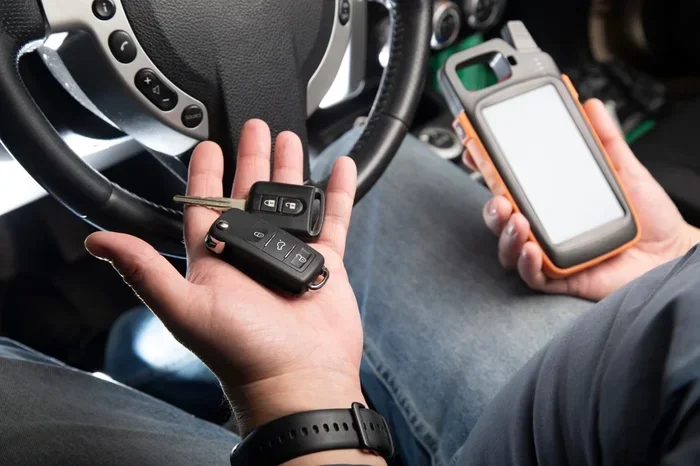
Key Fob
The Tesla key fob is a small, dedicated remote. It uses Bluetooth and has physical buttons. Key fobs support walk-away locking to some extent, but the experience isn’t as seamless as the phone key.
The key fob is nice for people who don’t want to rely on their phone. It’s a physical device you can put in your pocket or leave in a bowl by the door. It works independently of your phone’s battery level.
Common Issues With Tesla Walk-Away Locking
Even though Tesla’s locking system is smart, it’s not perfect. Some owners experience issues with walk-away locking. Here are the most common problems and how to fix them.
Bluetooth Connectivity Problems
The walk-away lock depends on Bluetooth. If your phone’s Bluetooth is off or unstable, the car won’t detect your departure. This is the most common reason Tesla doesn’t lock when you walk away.
To fix this, make sure Bluetooth is enabled on your phone. Restart your phone if needed. Also, check that your phone and Tesla are properly paired.
Phone Left Inside the Vehicle
This one happens more often than you’d think. You set your phone on the seat or center console. The car sees the phone and assumes someone is still inside. It stays unlocked.
The solution is simple. Take your phone with you when you leave. Or, if you’re loading groceries and need both hands free, manually lock the car using the Tesla mobile app or the key card.
Interference From Other Devices
Other Bluetooth devices can sometimes interfere with your phone key. If you’re carrying multiple Bluetooth devices, the car might have trouble identifying which one is your phone key.
Keep your phone key in a consistent location, like your front pocket. This helps the car’s sensors detect it more reliably.
Software Glitches
Like any software system, Tesla’s locking feature can sometimes glitch. A software update might change how the feature behaves. Or a bug might cause the car to not lock when it should.
If you notice consistent issues, check for software updates. You can also try resetting the system by restarting your touchscreen. Hold down both scroll wheels on the steering wheel until the screen goes dark and restarts.
Cold Weather and Battery Concerns
Extreme cold can affect Bluetooth performance and phone battery. In very cold climates, your phone might lose power faster or have weaker Bluetooth signals. This can delay or prevent walk-away locking.
Keep your phone charged and consider using a key fob as a backup in very cold weather. The key fob is less affected by temperature changes.
Tesla Security Features Beyond Walk-Away Locking
Walk-away locking is just one part of Tesla’s vehicle security system. The car has several other features that work together to keep your Tesla safe.
Sentry Mode
Tesla Sentry Mode uses the car’s cameras to monitor the surroundings when parked. If it detects a threat, it records video and alerts you through the Tesla mobile app. Sentry Mode works even if the car is locked manually. But it pairs well with automatic locking to give you peace of mind.
You can activate Sentry Mode from the Controls > Safety & Security menu. It uses the car’s battery, so keep that in mind if you park for extended periods.
Dog Mode and Camp Mode
These features keep your Tesla secure while maintaining a comfortable environment inside. Dog Mode keeps the temperature regulated and displays a message on the screen. Camp Mode keeps the climate control running for overnight stays.
Both modes work with the locking system. Your car stays locked while these features are active.
Tesla Mobile App
The Tesla mobile app lets you control your car from anywhere. You can lock and unlock doors, check Sentry Mode status, and see if your car is properly secured. It’s a great tool if you’re ever unsure whether your Tesla locked when you walked away.
You can also use the app to honk the horn or flash the lights to find your car in a parking lot. These small features add up to a comprehensive security system.
Should You Rely on Walk-Away Locking?
Walk-away locking is a great convenience. But should you trust it completely? The honest answer is that it’s a helpful feature, but you should still build a habit of checking.
Here’s a practical approach. Use walk-away locking for your daily routine. When you’re at home, at work, or at familiar places, let the car handle the locking. But when you’re in a new environment, a crowded parking lot, or somewhere with lots of Bluetooth interference, take a moment to confirm.
Think of walk-away locking as a helpful assistant, not a replacement for awareness. It does most of the work for you. But a quick check never hurts.
And if you ever want to learn more about how your Tesla handles other automated features, check out our guide on are you supposed to hold the push start button for more insights into Tesla’s automated systems.
Getting comfortable with your Tesla’s locking behavior takes a little time. After a few days of use, you’ll know exactly what to expect. You’ll know when the car locks and when it doesn’t. And you’ll feel confident that your vehicle is secure.
Final Thoughts on Tesla Walk-Away Locking
Tesla walk-away locking is one of those features that makes you wonder how you ever lived without it. It’s convenient, it’s smart, and it works reliably most of the time. Your Tesla can detect when you’ve left the vehicle and lock itself automatically.
The key is understanding how the system works and setting it up correctly. Enable walk-away locking in your settings. Use the phone key for the best experience. And always keep your software updated to get the latest improvements.
No system is perfect. Bluetooth interference, cold weather, and software glitches can cause issues. But with the right knowledge and a few simple habits, you can trust your Tesla to lock itself when you walk away.
Your car is a significant investment. Taking advantage of its built-in security features is one of the best things you can do as a Tesla owner. Walk-away locking is just the beginning. Explore other features like Sentry Mode, the Tesla mobile app, and phone key settings to get the most out of your vehicle’s security system.
Stay informed, stay secure, and enjoy the peace of mind that comes with knowing your Tesla has your back. Even when you’re not thinking about it.
Frequently Asked Questions
How Far Away Does Tesla Need to Be Before It Locks?
Tesla typically locks when you move about 5 to 10 feet away from the vehicle. The exact distance depends on your phone’s Bluetooth strength and the car’s proximity sensor settings. This range is designed to prevent accidental locking while you’re still near the car.
Can I Disable Walk-Away Locking on My Tesla?
Yes, you can turn off walk-away locking in your Tesla settings. Go to Controls, then Safety & Security, and toggle off Walk-Away Door Lock. This gives you full manual control over when your car locks.
Does Tesla Lock Automatically if You Forget?
In most cases, yes. If walk-away locking is enabled and your phone key moves away from the vehicle, Tesla will lock itself after a short delay. However, if your phone is left inside the car, the system will not lock.
Is Walk-Away Locking Available on All Tesla Models?
Walk-away locking is supported on most modern Tesla models, including the Model 3, Model Y, Model S, and Model X. The feature may vary slightly depending on your software version and key type.
What Happens If My Phone Battery Dies and I Walk Away?
If your phone battery dies, the car will not detect your departure and may remain unlocked. This is why it’s helpful to carry a key card or key fob as a backup. You can also manually lock your car through the Tesla mobile app.
Can I Lock My Tesla Remotely Using the App?
Absolutely. The Tesla mobile app lets you lock and unlock your car from anywhere with an internet connection. This is useful if you forgot to lock or if walk-away locking didn’t activate properly.
=== CONCLUSION ===
Tesla walk-away locking is a smart, convenient feature that keeps your car secure without any extra effort. Whether you use a phone key, key card, or key fob, your Tesla has the tools to lock itself when you leave. Just make sure the feature is enabled in your settings and that your phone’s Bluetooth is working properly.
Like any technology, it’s not perfect. But with a little knowledge and a few good habits, you can trust your Tesla to handle the locking for you. Walk away with confidence. Your car has got you covered.