Do You Have to Pay Extra for Toyota Remote Connect
Toyota Remote Connect is a subscription-based service that lets you start your car, lock doors, and track your vehicle from your phone. The base service often comes free for a trial period, but ongoing access usually requires a paid plan. Whether you need to pay extra depends on your Toyota model, year, and the specific package you choose.
If you own a Toyota or are thinking about buying one, you have probably heard about Toyota Remote Connect. It sounds cool. You can start your car from your phone, lock the doors remotely, and even find your car in a crowded parking lot. But here is the big question: do you have to pay extra for it?
The short answer is yes, in most cases. Toyota Remote Connect is a subscription service. It often comes with a free trial, but after that, you need to pay a fee to keep using it. Let us break down everything you need to know about the costs, features, and whether it is worth the money.
Toyota Remote Connect is part of Toyota’s broader connected services ecosystem. It works through the Toyota app on your smartphone. The app connects to your vehicle using wireless connectivity and telematics technology. This lets you access certain features from anywhere with cell service.
Think of it like a digital key that lives on your phone. Instead of using your physical key fob, you can control many functions of your car right from the Toyota app. But the convenience comes at a price, and that is what we are here to explore.
Key Takeaways
- Toyota Remote Connect usually requires a paid subscription after the free trial period ends.
- The service includes remote start, lock/unlock, and vehicle tracking through the Toyota app.
- Costs vary by plan, with options ranging from basic connectivity to premium features.
- Some newer Toyota models include a trial period that lets you test the service before committing.
- You can manage your subscription through the Toyota app or by contacting your dealer.
- Competitors like FordPass and Chevrolet Infotainment offer similar services with different pricing structures.
- Canceling the subscription limits remote features but does not affect basic vehicle operation.
📑 Table of Contents
- What Is Toyota Remote Connect?
- How Much Does Toyota Remote Connect Cost?
- Who Qualifies for Toyota Remote Connect?
- Is Toyota Remote Connect Worth the Money?
- How to Set Up Toyota Remote Connect
- Can You Cancel Toyota Remote Connect?
- Alternatives to Toyota Remote Connect
- The Future of Toyota Connected Services
- Final Thoughts
What Is Toyota Remote Connect?
Toyota Remote Connect is a suite of connected services designed to give Toyota owners more control over their vehicles. It uses a combination of GPS, cellular connectivity, and the Toyota app to deliver features right to your phone. You do not need a special device. If your Toyota supports it, the features are built right into the vehicle.
The service works through Toyota’s telematics system. This is a network that connects your car to the internet. It sends and receives data between your vehicle and the Toyota servers. When you press a button in the app, a signal goes to your car and triggers the action you requested.
Key Features of Toyota Remote Connect
Toyota Remote Connect offers several useful features. Here is what you typically get access to:
- Remote Start: Start your engine from a distance. This is especially useful in cold weather or hot climates.
- Remote Lock and Unlock: Lock or unlock your doors using your phone.
- Vehicle Location: Find your car on a map if you forgot where you parked.
- Vehicle Status: Check fuel level, tire pressure, and other key metrics.
- Trip Logging: View trip history and driving data.
- Smart Alerts: Receive notifications about maintenance needs or unusual activity.
Some of these features overlap with what your key fob remote start already does. But Toyota Remote Connect adds the convenience of doing it all from your phone, even when you are not near the vehicle.
How Much Does Toyota Remote Connect Cost?
This is the question most people want answered. The cost of Toyota Remote Connect depends on the plan you choose and your vehicle model. Toyota offers different subscription tiers, and pricing can change over time.
Free Trial Period
Most Toyota vehicles that support Remote Connect come with a free trial period. This typically lasts for one year from the date of purchase or lease signing. During this trial, you get full access to all the connected features at no extra cost. It is a great way to test the service and see if it fits your lifestyle.
After the trial ends, you will need to subscribe to a paid plan to continue using the features. If you do not renew, the remote functions will stop working. Your car will still operate normally with the physical key or push-button start.
Paid Subscription Plans
Toyota offers different subscription levels. The exact pricing varies, but here is a general breakdown of what you can expect:
- Basic Plan: Covers essential features like remote lock/unlock and vehicle location. Usually priced around $80 to $100 per year.
- Premium Plan: Includes remote start, trip logging, and smart alerts. Typically ranges from $100 to $150 per year.
- All-Access Plan: Combines all features plus additional services like roadside assistance integration. Pricing may go higher depending on the package.
Keep in mind that these are approximate figures. Toyota updates pricing periodically. The best way to get current rates is to check the Toyota app or contact your local dealer. You can also look at the key fob programming options if you are exploring alternatives that do not require a subscription.
Comparison With Other Automakers
Toyota is not the only automaker offering remote connect services. Here is how it compares:
- FordPass: Offers a similar set of features. Some plans are free for a limited time, then require a subscription.
- Chevrolet Infotainment: Provides remote start and vehicle tracking through the myChevrolet app.
- HondaLink: Includes remote start and concierge services with varying subscription tiers.
Toyota’s pricing is competitive with the industry. However, the value you get depends on how often you actually use the features. If you rarely need to start your car remotely or check its location, the subscription may not be worth it.
Who Qualifies for Toyota Remote Connect?
Not every Toyota vehicle supports Remote Connect. The feature is available on select models and model years. Here is what you need to know about eligibility.
Supported Toyota Models
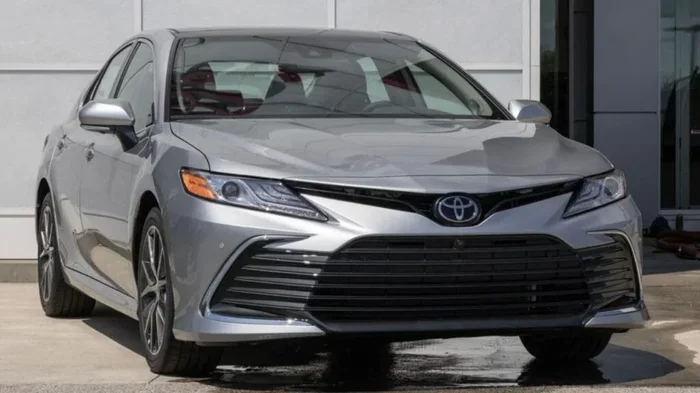
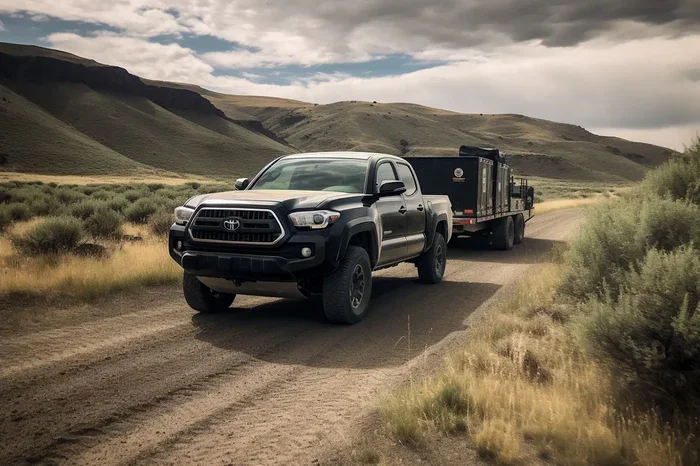
Toyota Remote Connect is available on most newer models. This includes popular vehicles like the Camry, RAV4, Highlander, Tacoma, and Tundra. The feature is more commonly found on models from 2018 and newer. Older models may not have the hardware needed to support connected services.
If you are unsure whether your specific Toyota supports Remote Connect, you can check the Toyota app or consult your owner’s manual. You can also ask your dealer. They can confirm compatibility based on your vehicle identification number.
Required Equipment
To use Toyota Remote Connect, your vehicle needs a few things. First, it must have a built-in telematics module. This is the hardware that enables the car to communicate with the Toyota servers. Second, you need a compatible smartphone with the Toyota app installed. Third, you need an active cellular connection on your phone.
The telematics module is usually built into the vehicle during manufacturing. You do not need to install anything extra in most cases. If your car was made without this module, you may not be able to add Remote Connect later.
Is Toyota Remote Connect Worth the Money?
This is the real question, isn’t it? Paying extra every year for a set of remote features is a big decision. Let us look at the pros and cons to help you decide.
When It Is Worth It
Toyota Remote Connect makes the most sense in certain situations. Here are a few examples:
- You live in an extreme climate. Remote start is a game-changer in freezing winters or scorching summers. You can warm up or cool down your car before you get in.
- You frequently forget where you parked. The vehicle location feature saves time in large parking lots or stadiums.
- You share your vehicle with family members. Remote lock and unlock make it easy to grant access without handing over a physical key.
- You value convenience highly. If you like controlling everything from your phone, the subscription adds real value to your daily routine.
When It Is Not Worth It
On the other hand, there are situations where the subscription may not make sense:
- You rarely use remote features. If you are happy using your key fob and do not need to start the car from a distance, you may not get enough use to justify the cost.
- You have a tight budget. The annual fee adds up over time. If every dollar counts, you might prefer to skip it.
- You plan to sell the vehicle soon. If you are not keeping the car long, the subscription cost may not be worth the short-term benefit.
For many Toyota owners, the convenience is nice but not essential. The car works perfectly fine without it. It comes down to personal preference and how much you value the connected features.
How to Set Up Toyota Remote Connect
If you decide to go ahead with Toyota Remote Connect, the setup process is straightforward. Here is how to get started.
Step-by-Step Setup Guide
- Download the Toyota app. Search for the Toyota app in your phone’s app store. Make sure you have the correct app for your region.
- Create an account. Sign up using your email address and vehicle information. You will need your VIN and proof of ownership.
- Link your vehicle. Follow the prompts to connect your Toyota to the app. This usually involves entering your VIN and confirming the connection through the vehicle’s infotainment system.
- Start your free trial. Once linked, you should have access to all features during the trial period. Test everything to make sure it works for you.
- Choose a subscription plan. When the trial ends, pick the plan that fits your needs and budget. You can manage your subscription directly through the app.
Troubleshooting Common Issues
Sometimes things do not work as expected. Here are a few common issues and quick fixes:
- App not connecting to the car: Make sure your phone has a stable cellular connection. Check that your vehicle’s telematics module is active.
- Remote start not working: Verify that the car is in park and all doors are closed. These are safety requirements for remote start.
- Notifications not arriving: Check your app notification settings. Make sure alerts are enabled for the Toyota app.
If you are still having trouble, you can reach out to Toyota’s customer support team. They can walk you through the process and help resolve any issues. You can also explore options like iPhone integration if you are looking for ways to enhance your connected car experience.
Can You Cancel Toyota Remote Connect?
Yes, you can cancel your Toyota Remote Connect subscription at any time. There is no long-term contract locking you in. You can manage your subscription directly through the Toyota app or by contacting customer service.
When you cancel, you lose access to the remote features. Your car continues to function normally with the physical key or push-button start system. Canceling does not affect any other vehicle functions or warranties.
If you decide to reactivate later, you can simply resubscribe through the app. Your vehicle profile and settings should remain intact.
Alternatives to Toyota Remote Connect
If you do not want to pay for a subscription, there are alternatives worth considering. Some of these options give you similar functionality without the ongoing cost.
- Aftermarket remote start systems: You can install an aftermarket remote start kit. These range in price from $50 to $300 depending on the brand and features. They do not require a subscription.
- Smartphone-based car accessories: Devices like Viper SmartStart or Compustar offer remote start and tracking through their own apps. Some have one-time fees, while others have optional subscriptions.
- Key fob upgrades: If your main goal is remote start, you might look into upgrading your key fob. Some aftermarket key fobs offer remote start capabilities without any monthly fees.
Keep in mind that aftermarket solutions may not integrate as smoothly with your Toyota as the factory system. They also may not offer the same level of vehicle monitoring and alerts. But for budget-conscious owners, they can be a solid alternative.
The Future of Toyota Connected Services
Toyota continues to invest in connected car technology. The company is expanding its digital services to stay competitive with other automakers. In the future, we may see more features added to Toyota Remote Connect, or even shifts toward including more services at no extra cost.
For now, the subscription model remains the standard. As wireless connectivity becomes more expected in vehicles, the value of these services will likely grow. Toyota owners who embrace connected features early may find themselves better prepared for the next generation of smart car technology.
Final Thoughts
So, do you have to pay extra for Toyota Remote Connect? In most cases, yes. The free trial gives you a taste of what the service offers, but ongoing access requires a paid subscription. The cost is reasonable compared to similar services from other automakers. Whether it is worth it depends on how much you value the convenience of controlling your car from your phone.
If remote start, vehicle tracking, and smart alerts fit your lifestyle, the subscription can add real value to your Toyota ownership experience. But if you rarely use these features, you can always cancel and stick with your key fob. The choice is yours.
Take your time, explore the features during the free trial, and make an informed decision. Toyota Remote Connect is a useful tool, but like any subscription service, it should deliver value that justifies the cost.
Frequently Asked Questions
Is Toyota Remote Connect free for the first year?
Yes, most Toyota vehicles that support Remote Connect come with a free trial for the first year. This lets you test all the features before deciding whether to pay for a subscription. After the trial ends, you need to choose a paid plan to keep using the service.
Can I use Toyota Remote Connect without a smartphone?
No, Toyota Remote Connect requires the Toyota app on a compatible smartphone. The app serves as your control center for all remote features. Without a smartphone, you cannot access the remote connect functions.
Does canceling Toyota Remote Connect affect my car’s warranty?
No, canceling the subscription does not affect your vehicle’s warranty. The remote features simply stop working, but all other car functions remain unaffected. Your warranty coverage stays intact regardless of your subscription status.
Can I transfer my Toyota Remote Connect subscription to a new car?
Yes, you can transfer your subscription to a new Toyota that supports Remote Connect. You will need to unlink the old vehicle and link the new one through the Toyota app. Contact customer support if you need help with the transfer process.
What happens if I don’t renew my Toyota Remote Connect subscription?
If you do not renew, you lose access to all remote connect features. You can still use your car normally with the physical key or push-button start. The remote start, lock/unlock, and tracking features will not work until you resubscribe.
Are there any hidden fees with Toyota Remote Connect?
Toyota is transparent about its subscription pricing. There are no hidden fees beyond the subscription cost you choose. However, you should review the terms of your plan carefully to understand what is included and what is not. Check for any regional pricing differences that may apply.